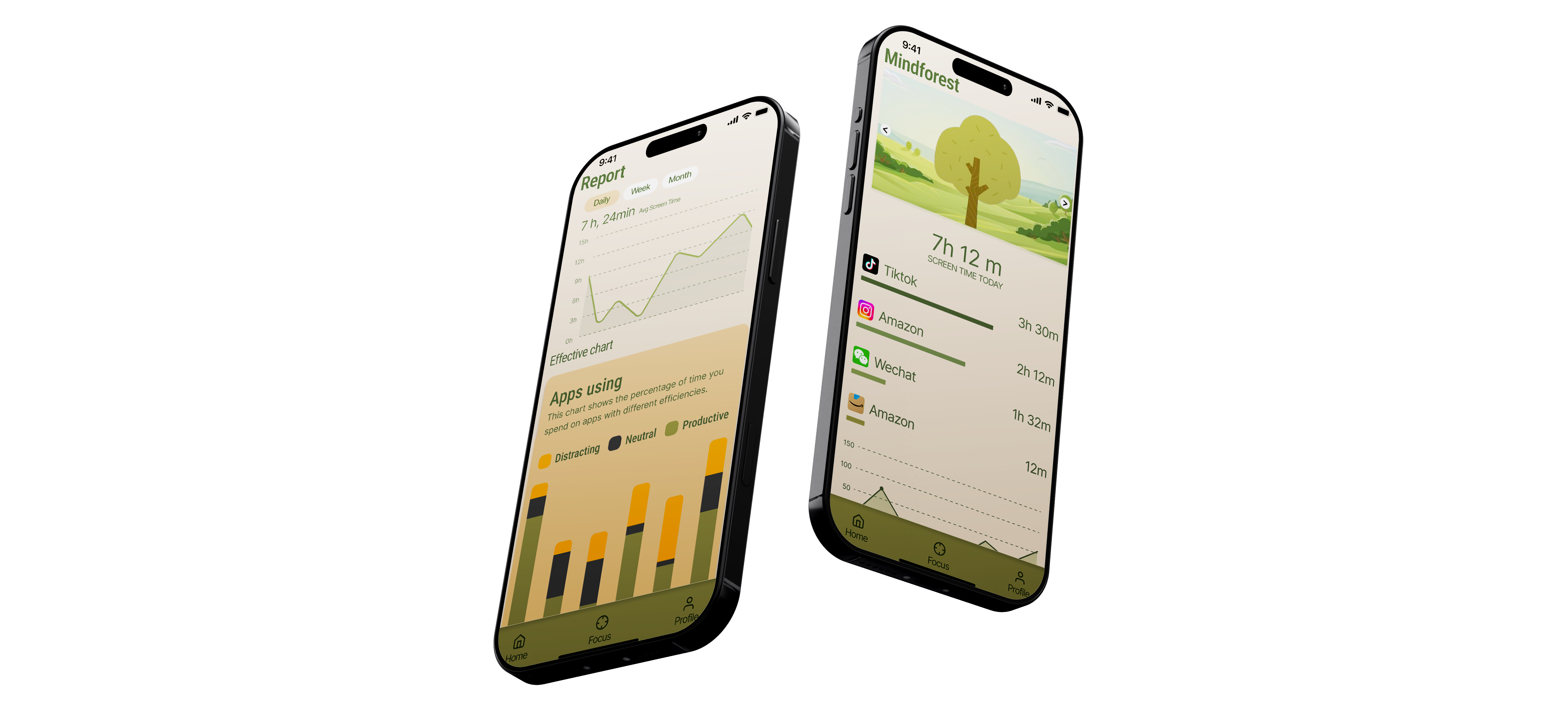
Project Overview
Problem
In an era of hyper-connectivity, mobile addiction has become a silent catalyst for psychological stress. Our research indicated that over 80% of users feel significant anxiety when separated from their devices, yet they fall into a cycle of "revenge bedtime procrastination," which further depletes their mental well-being.
Solution
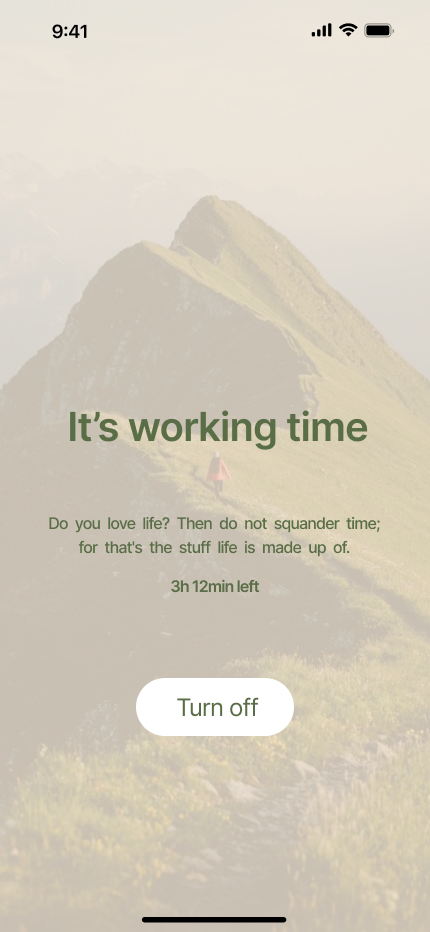
By applying the PACT Analysis, Mindforest shifts the narrative from "forced focus" to "mindful companionship." It leverages naturalistic visual languages—such as calming rotating imagery—and positive reinforcement loops to reduce the psychological friction of putting down the phone. It's not just a timer; it's a space for mental restoration.
The Design Process
PACT Analysis
For the Mindforest project, I utilized the PACT (People, Activities, Contexts, Technologies) framework. This human-centered design tool allowed me to deconstruct the complex relationship between digital addiction and mental stress. By analyzing these four pillars, I moved beyond a simple "timer" concept to understand the emotional triggers and environmental constraints that dictate how a user interacts with their phone, eventually leading to a more empathetic and supportive interface.
Using the PACT framework to deconstruct digital addiction and mental stress.
PEOPLE
Users: Students, office workers, and parents.
Diverse psychological traits: varying motivations, cognitive abilities, and emotional reactions to phone usage.
ACTIVITIES
Aims: Communication, socializing, entertainment.
Continuous usage patterns, notably "revenge bedtime procrastination" late at night.
CONTEXTS
Environment: Anywhere, anytime.
Usage is often restricted during teaching, meetings, or by organizational rules.
TECHNOLOGIES
Inputs/Outputs: Touch, voice, and haptics.
Mobile-first interaction providing visual, auditory, and tactile feedback loops.
People
Primary Users: Students and office workers struggling with screen time.
Habits: High dependency on social media; "Revenge bedtime procrastination."
Design Impact: Shifted focus from punitive discipline to supportive companionship.
Activities
Core Tasks: Establishing focus sessions, monitoring app usage, and seeking emotional grounding.
Design Impact: Led to the design of a Rotating Image focus screen to aid meditation.
Contexts
Physical: Bedrooms (late night), libraries, or stressful office environments.
Design Impact: Inspired the Gentle UI and dark-mode friendly palette for night usage.
Technologies
Platform: Mobile-first (iOS/Android).
Inputs: Touchscreens and automated app usage tracking.
Design Impact: Implemented a Precision Grid for UI clarity and accessibility.
User Research
To understand the intricate relationship between digital habits and mental well-being, I conducted a comprehensive research phase consisting of quantitative surveys and qualitative user profiling. The goal was to move beyond surface-level "screen time" and uncover the emotional drivers behind phone addiction.
Significant portion of users spend most of their day on devices.
Usage is primarily driven by impulsive social scrolling.
Users feel unable to live without their smartphones.
Mobile gaming acts as an ineffective method to escape stress.
The primary driver for late-night mobile usage and fatigue.
Key Insights
Insight 1
The Addiction Gap: Over 80% of respondents admitted they "cannot live without their phones," highlighting that mobile devices have shifted from being tools to essential psychological crutches.
Insight 2
Time Consumption: A significant portion of users reported spending 10+ hours a day on their smartphones, primarily driven by impulsive social media scrolling and mobile gaming.
Insight 3
Social Displacement: Approximately 70% of respondents noted that their usage is largely "indulgent," often used as a primary (yet ineffective) method to escape social anxiety or academic pressure.
The "Aha!" Moment
The most profound discovery was the prevalence of "Revenge Bedtime Procrastination." — "I know I should sleep, but scrolling is the only time I feel in control of my day."
"I find myself mindlessly scrolling through short videos for hours. I really need a tool that doesn't just track my time, but actually forces me to put the phone down and get some sleep."
Qiyin Gao, 23, Student at Winchester School of Art struggling with social media addictionExisting App Analysis
I researched two of the most used time management apps on the Apple App Store.

Flora
A tomato-method focus app where virtual plants grow during sessions.
Advantages: Most features available for free; users can opt to plant real trees. Interface offers a "world tour" of plants for added interest.
Limits: Some users find its effect on reducing phone addiction limited.

Opal
Screen time management app that helps users spend less time on distracting apps.
Advantages: Allows grading apps by interference level. Provides different focus modes including "Deep Focus." Offers regular focus reports.
Disadvantages: High subscription cost, around $100 per year.
User Portrait
My survey primarily targeted two user groups: working professionals and university students.

Billy — IT Engineer
Age 26 · Male · 8 hrs/day on work apps
Hobbies: Exercise, reading, travel
Goal: Enhance productivity, avoid distractions
Needs: Detailed reports, customizable settings, incentives

Maria — University Student
Age 22 · Female · 10+ hrs/day on social media
Hobbies: Short videos, shopping, gaming
Goal: Reduce distractions, improve focus and sleep
Needs: One-click blocking, gamified rewards, hard limits
Unique Selling Proposition
Mindforest transforms rigid screen-time management into a supportive, nature-inspired journey, bridging the gap between digital focus and real-world environmental impact.
Data Visualization
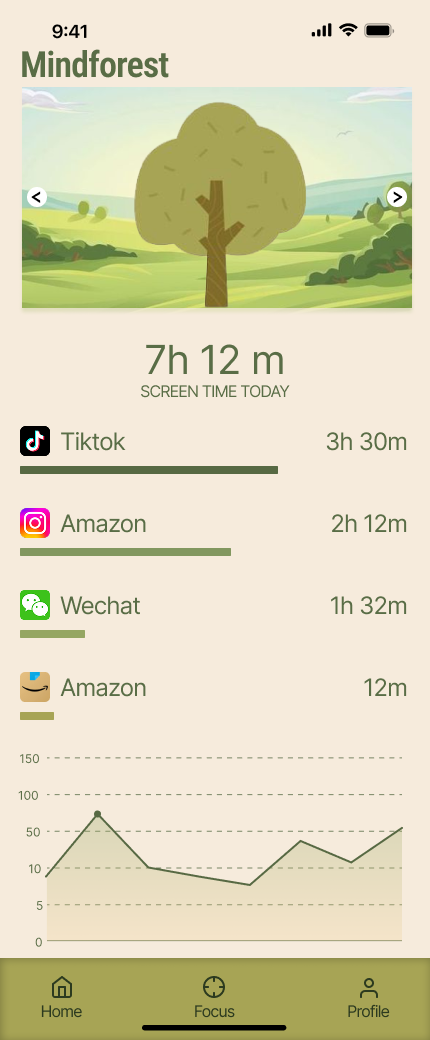
Real-time screen time tracking with intuitive visual feedback.
Personalized Focus
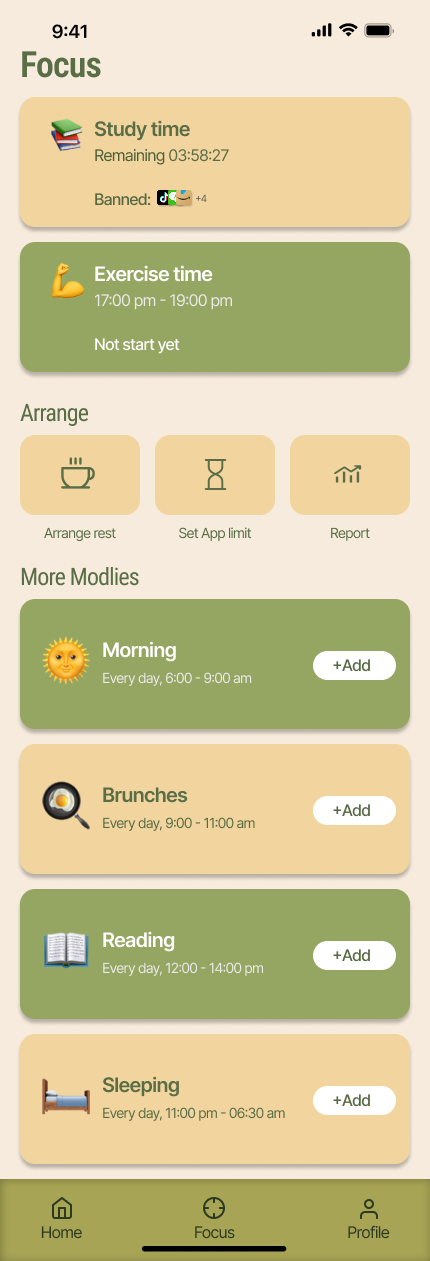
Tailored focus modes and smart time management features.
Social Incentives
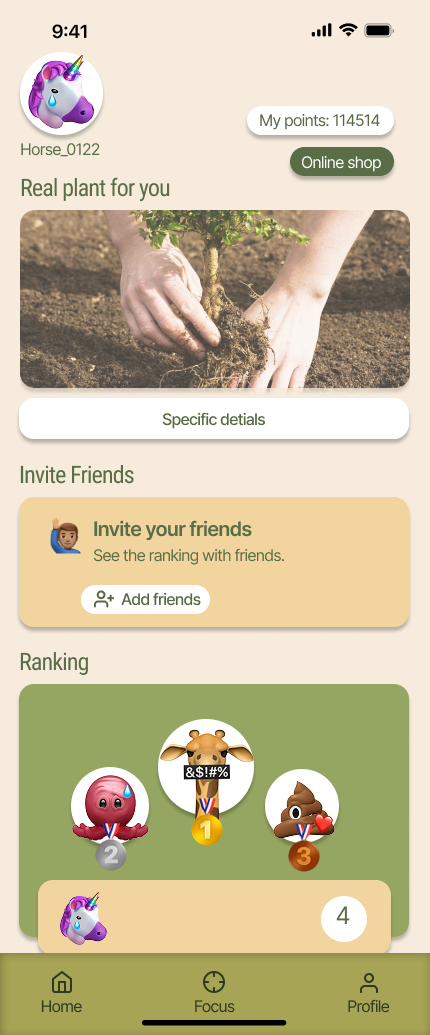
Ranking mechanisms to encourage healthy digital habits with friends.
Gamification
Engagement through interactive and rewarding growth cycles.
Efficiency Analysis
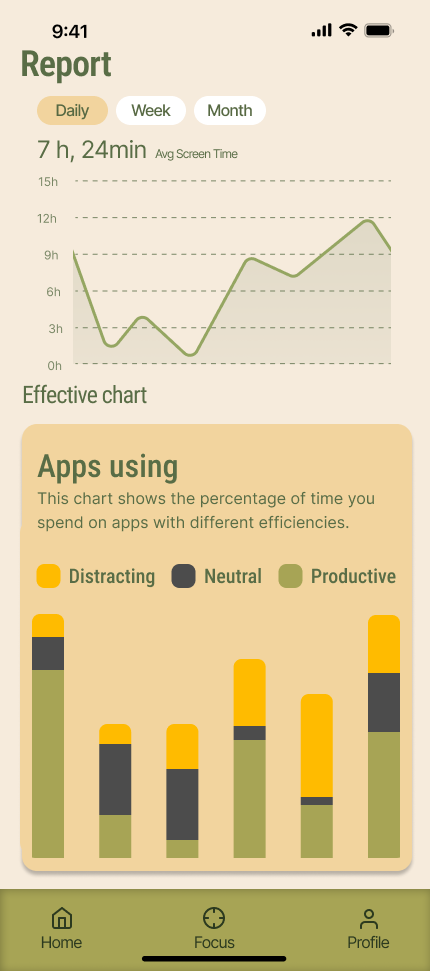
Individualized reporting and deep productivity insights.
Incentive Redemption
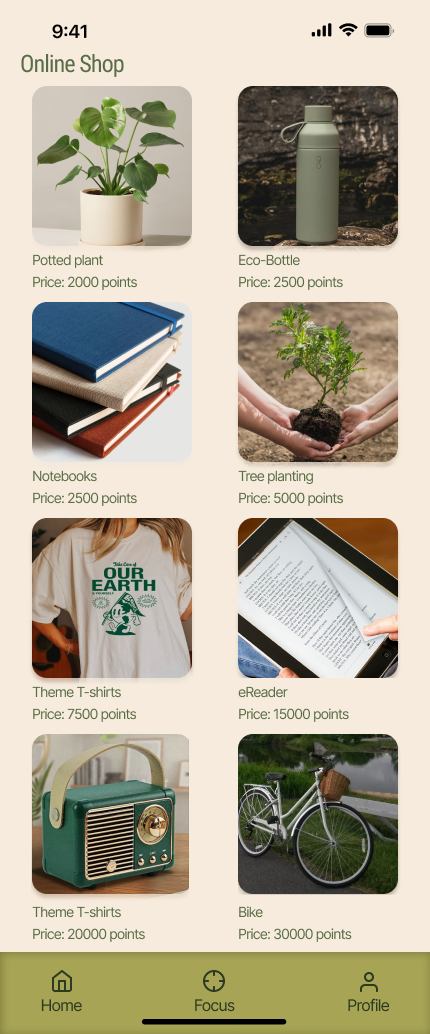
Online mall to exchange earned points for virtual or real rewards.
Virtual to Reality Experience
Unique plant-growing system that leads to real-world plant pickup experiences.
Lo-fi Wireframes
Functional Mapping: Core functionalities were identified based on PACT analysis, including time management, social incentives, and gamification elements.
Flow Analysis: Low-fidelity prototypes determined how users navigate between pages, such as switching from the "Focus" page to the "Data" page to view daily reports.
I created low-fidelity wireframes to iterate on the core layout and user flow, focusing on information architecture without visual distractions.
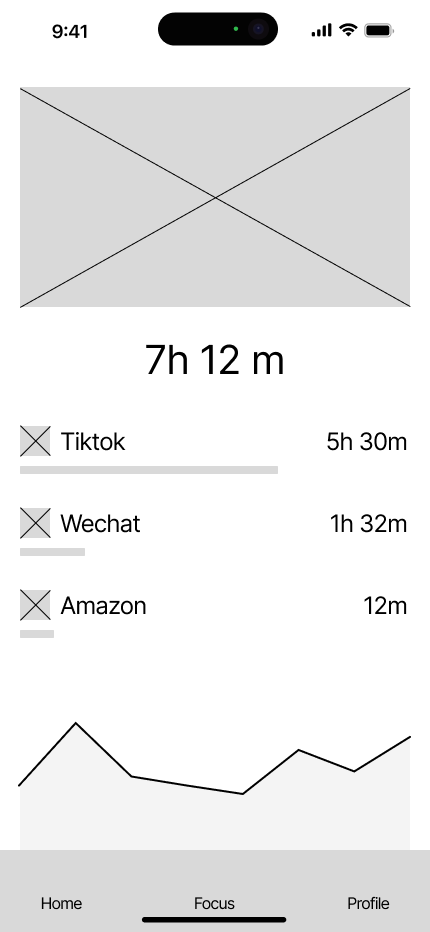
01. Onboarding
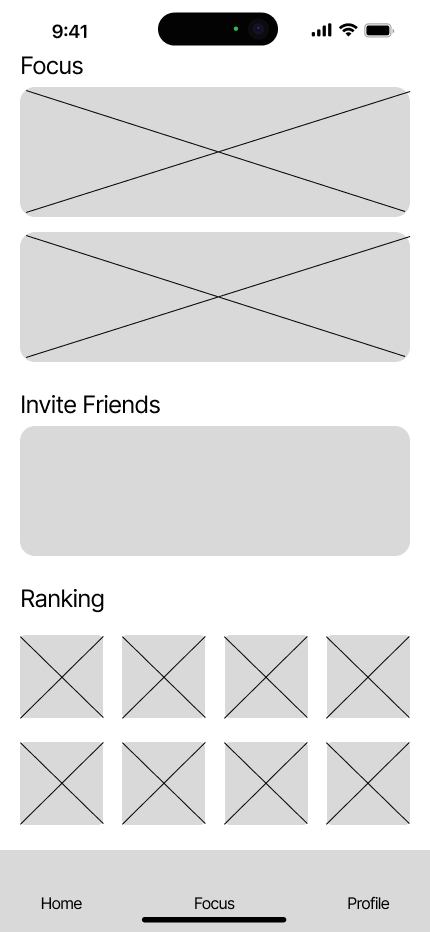
02. Main Interface
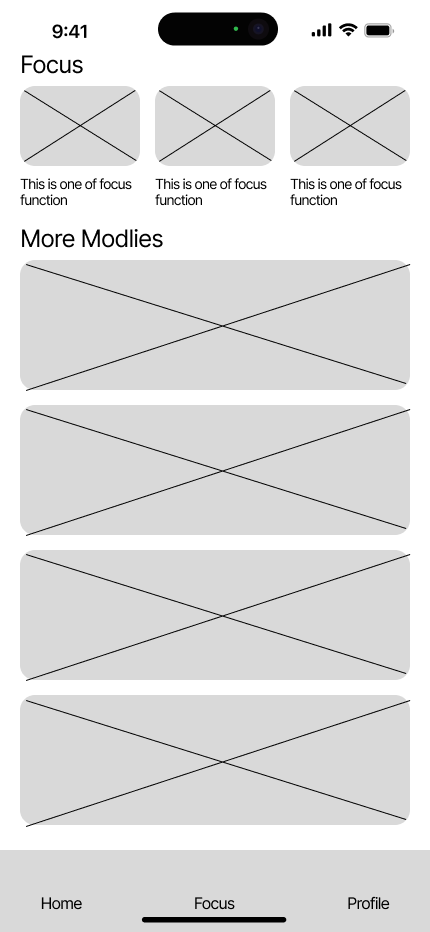
03. Focus Mode
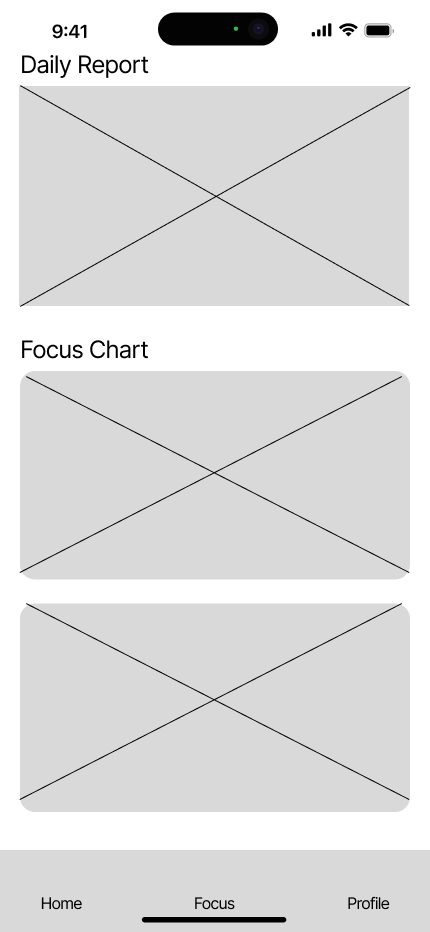
04. Achievement System
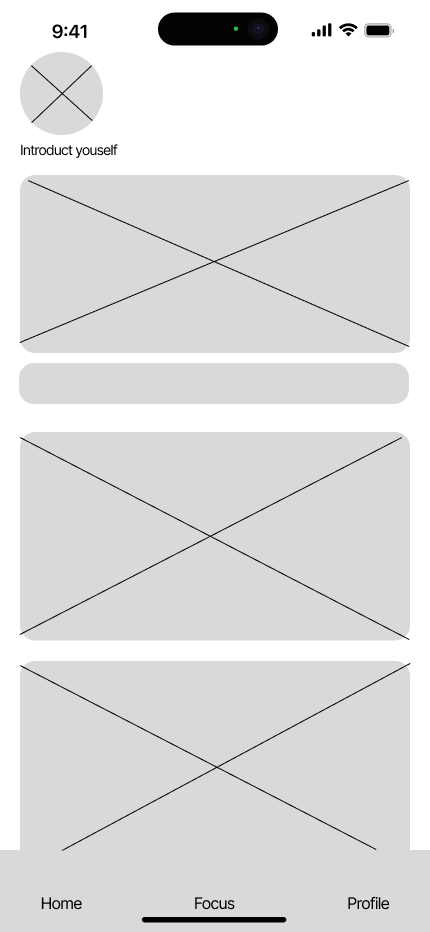
05. Statistics
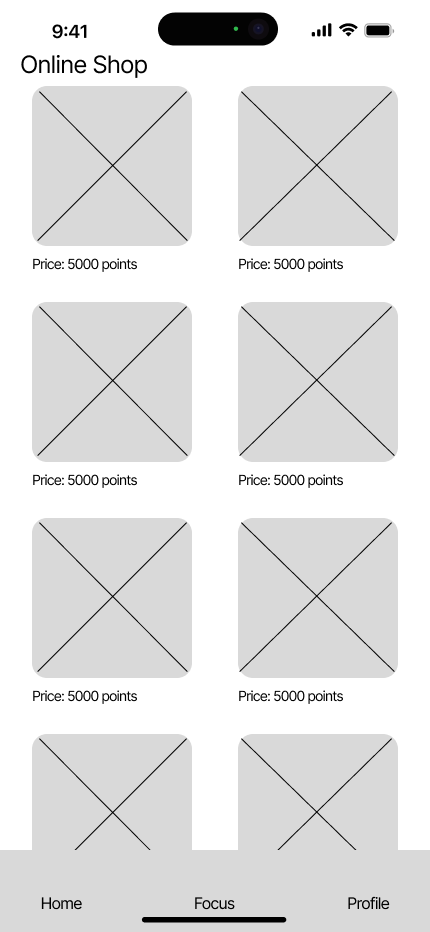
06. Profile Settings
User Tests
To validate the usability of the Mindforest prototype, I conducted a hands-on testing session. A university student was asked to navigate through the core flows: starting a focus session, reviewing data reports, and exploring the shop.
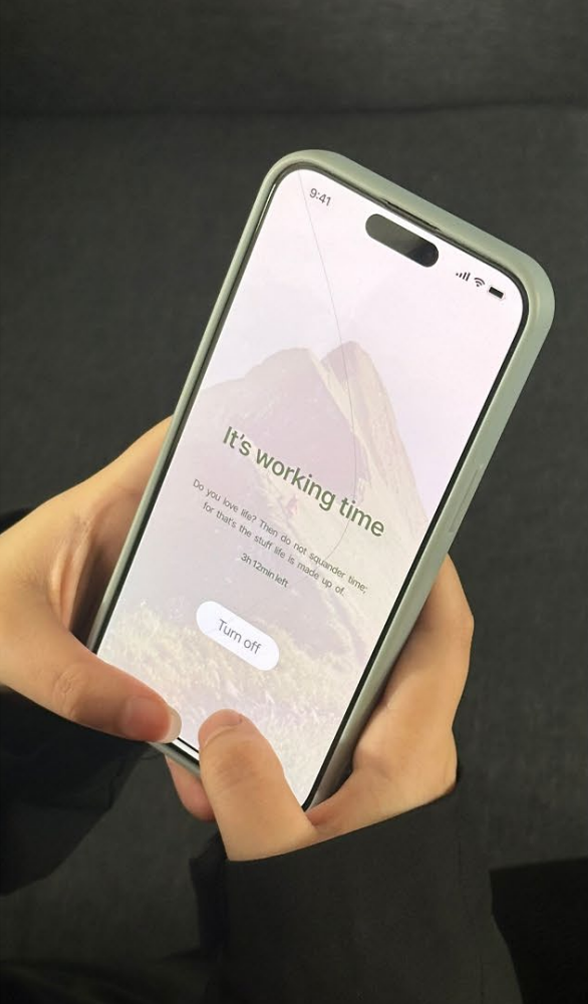
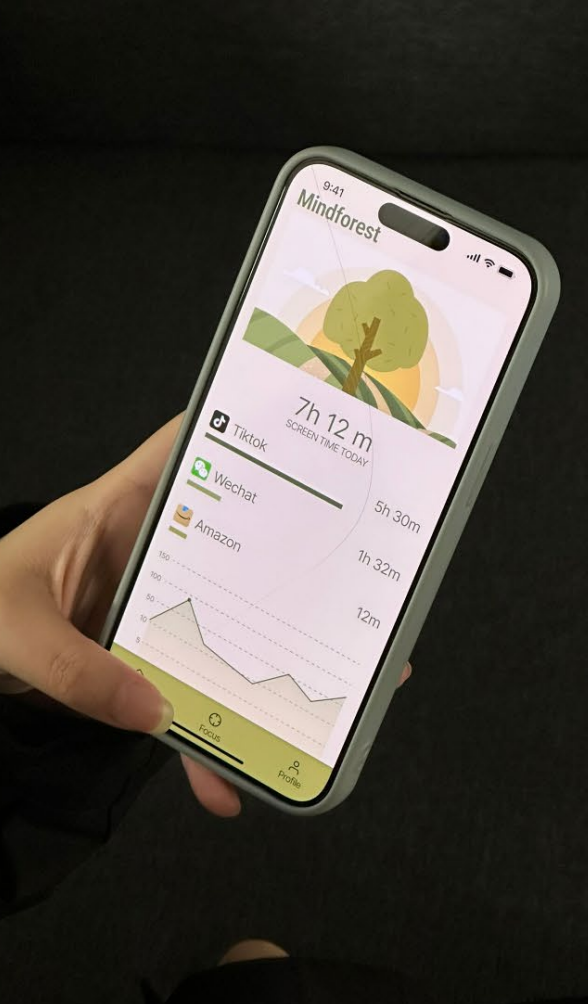
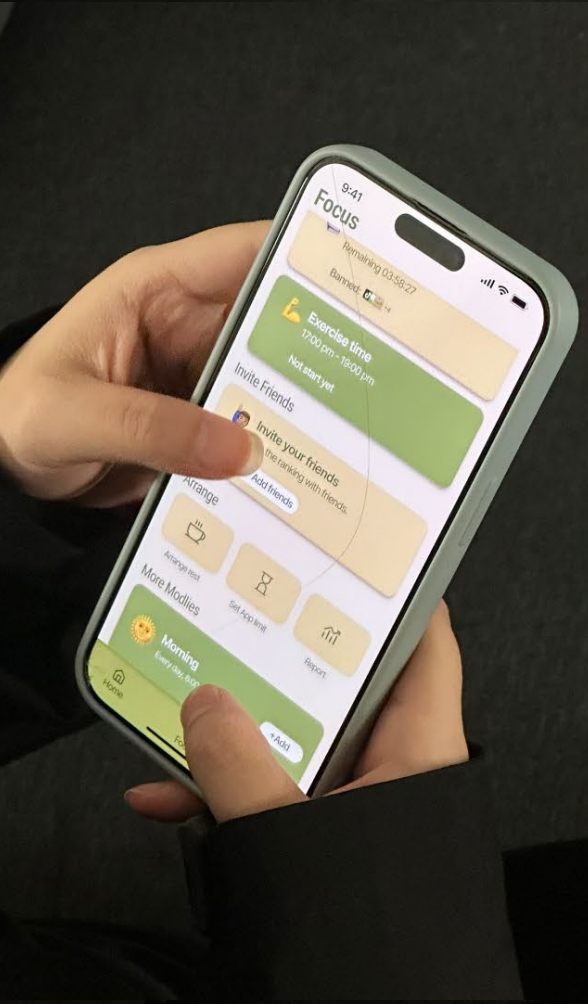
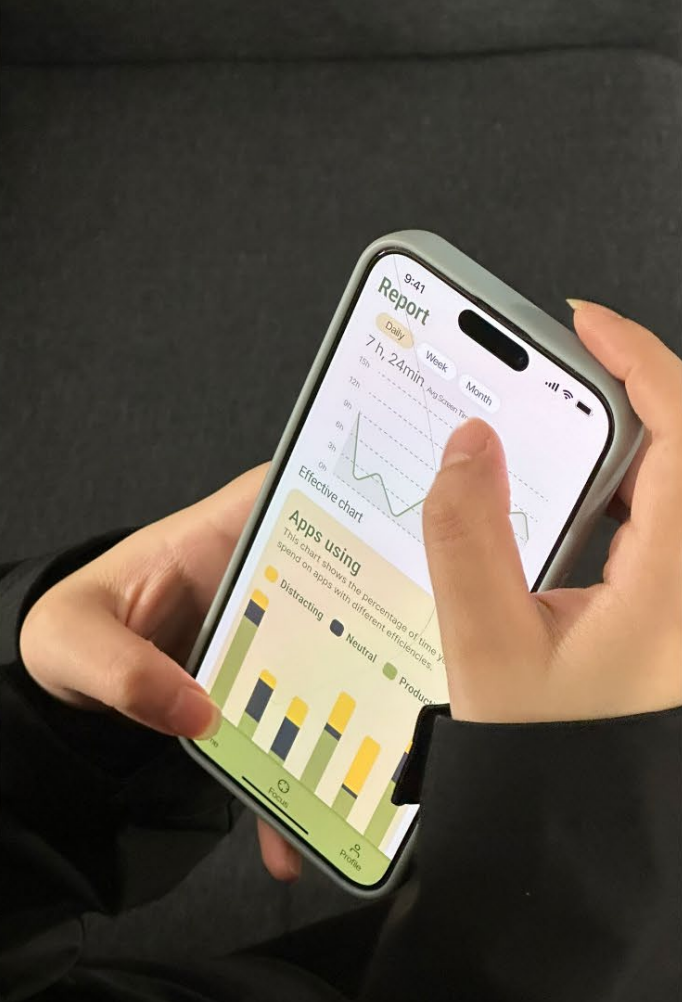
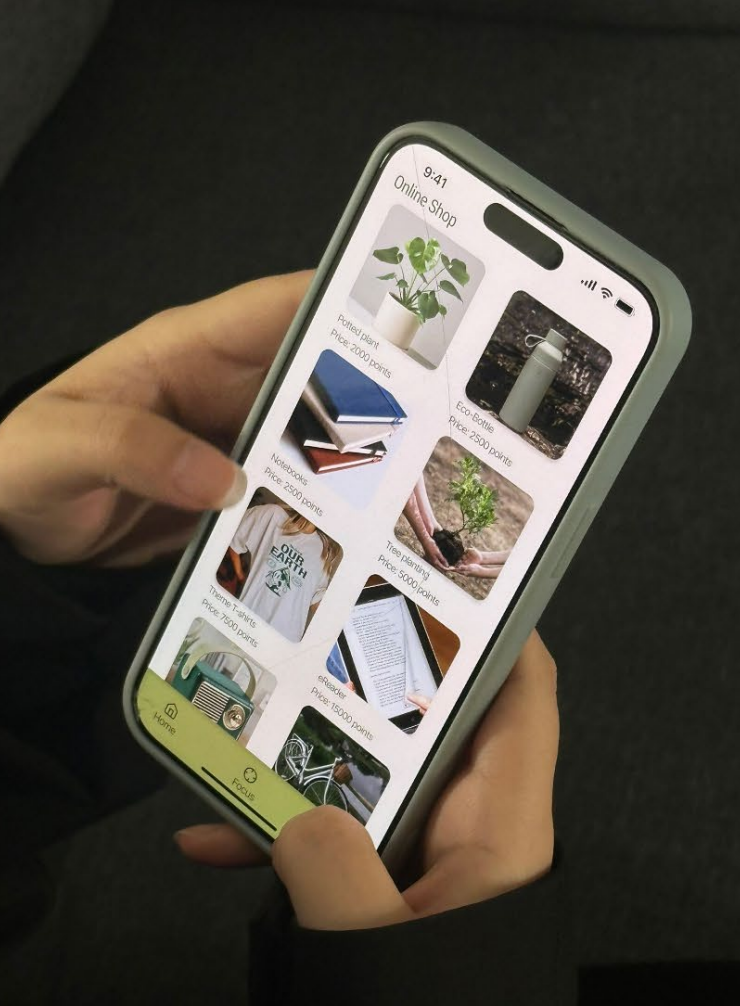
Test Feedback
The participant highlighted that while the gamification and emotional support were engaging, several areas required refinement to improve clarity and engagement.
- 1. Flexible Mode Settings: Users should change app limitations directly within the Focus page.
- 2. Social Integration: A dedicated social interface on the home or personal page.
- 3. Visual Hierarchy: The Focus icon needs to be more prominent to guide users.
- 4. Interactive Backgrounds: Home page background image should be swipeable.
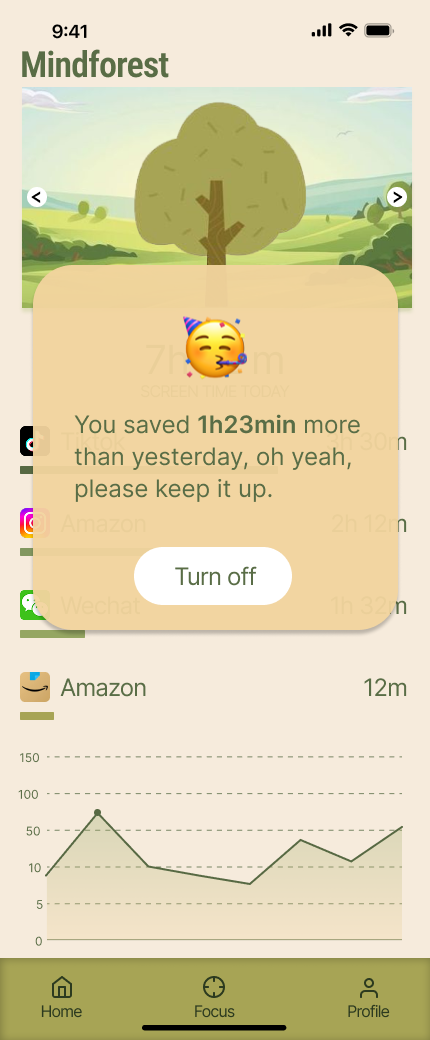
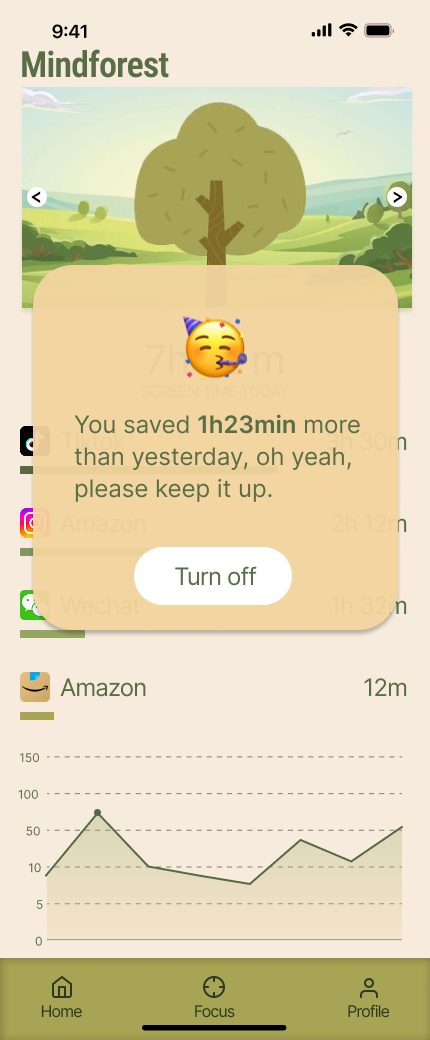
- 5. Enhanced Emotional Support: Add popups like "You lasted XX mins more today."
Design Iterations
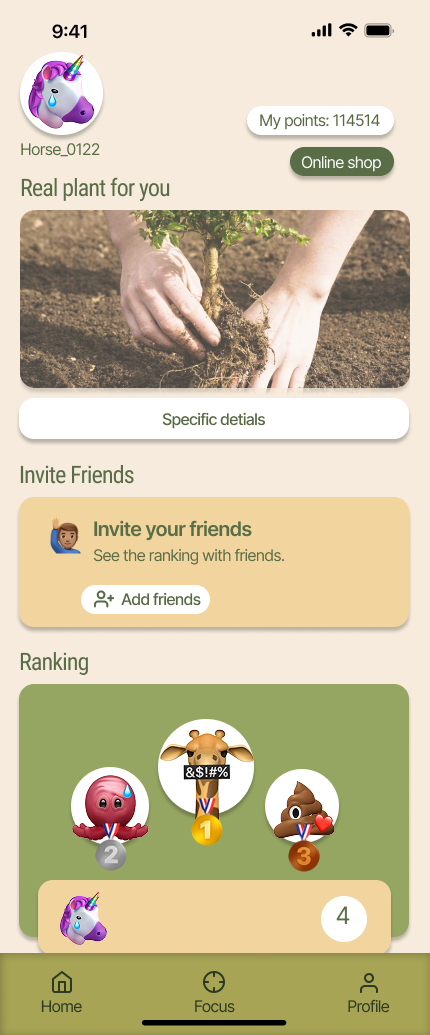
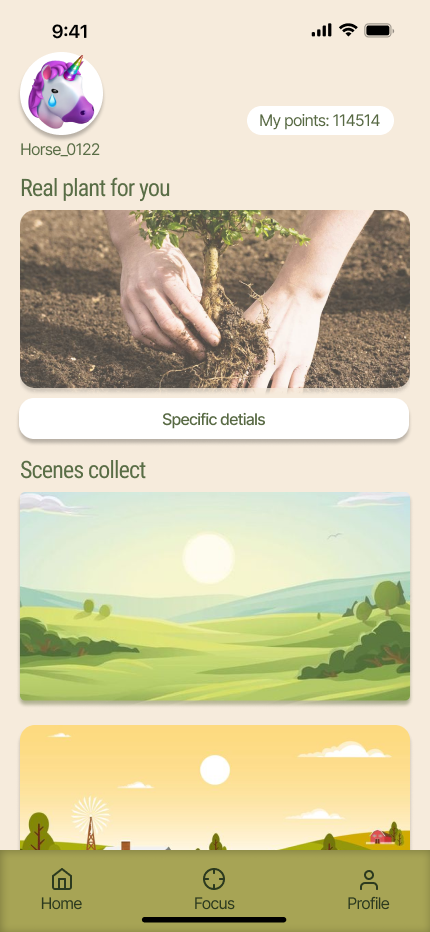
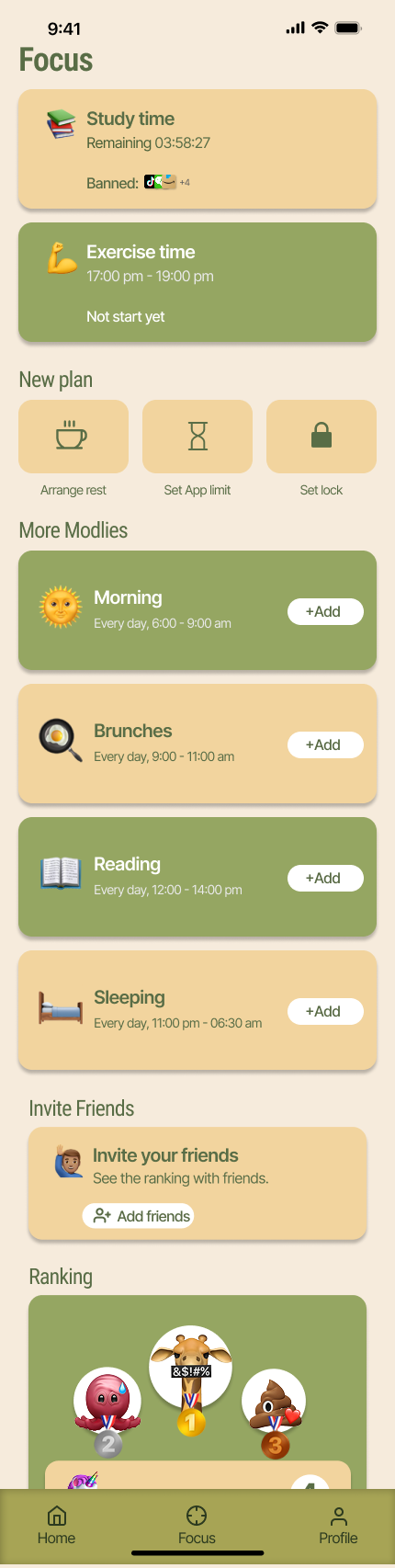
Based on user feedback, I focused on two critical areas: enhancing the prominence of core interactive elements and restructuring social features to reduce cognitive load.
Visual Prominence
The original Focus icon lacked sufficient visual weight. In the iteration, I enhanced its size and contrast to guide user action. Additionally, the static background was replaced with a swipeable carousel to support personalization.
Social Architecture
Testing revealed that mixing social rankings on the home page was distracting. I restructured the navigation, moving social features to a dedicated hub. To boost motivation, I introduced emotional feedback popups that celebrate focus milestones.
Hi-fi Prototype
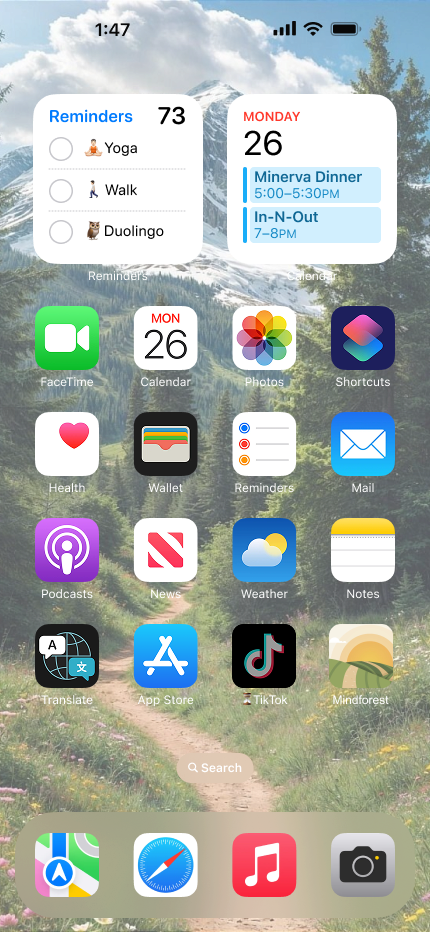
Visual Language & Aesthetics: Mindforest utilizes a minimalist and organic visual language. The interface features rounded corners and a card-based layout, creating a soft, non-intrusive user experience.
Key Takeaways
What I learned
The Power of Emotional Design: Productivity isn't just about rigid blocking — it's about psychology. Users responded more positively to emotional support (like progress popups) than to cold data, proving that empathy is a key driver for behavior change.
Iterative Refinement: The user testing phase was eye-opening. What I thought was a clear "Focus" layout was perceived as "too messy" by users. This taught me to prioritize Information Architecture and white space over adding more features.
Research-Driven Empathy: Analyzing "Revenge Bedtime Procrastination" helped me design for real-life struggles (like FOMO) rather than ideal scenarios, making the nature-inspired UI a necessary "digital sanctuary" rather than just an aesthetic choice.
What's next
Social Connectivity: Develop a "Community Forest" board where users share their focus journey without the distractions of traditional social media.
Customizable Restrictions: Refine the "Deep Focus" mode to allow users to dynamically change app limitations within specific sessions.
Cross-Device Ecosystem: Explore how Mindforest can extend beyond mobile to desktop, creating a seamless focus experience across all digital touchpoints.
Enhanced Gamification: Prioritize the real-plant pickup experience, strengthening the link between digital achievements and real-world environmental impact.